Workflow Automation for SMEs: Where to Start Without Overcomplicating It
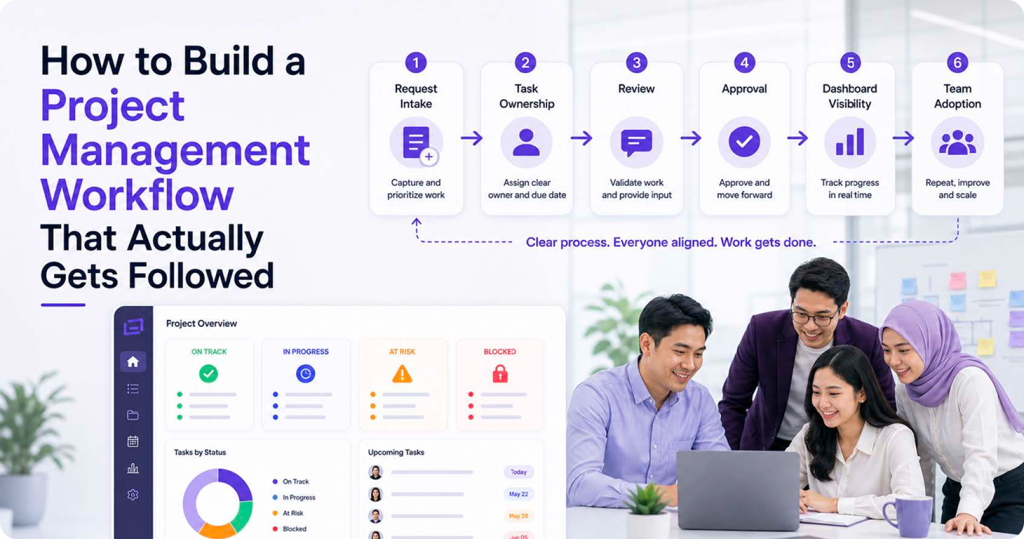
Workflow automation can sound exciting, but many Malaysian SMEs get stuck because they try to automate too much too early. The intention is good — automatic reminders, approval routing, dashboard updates, client notifications — but the result often creates more confusion than it solves. The better starting point is simpler: understand the work, remove unnecessary steps, and automate only what is repetitive, clear, and stable. For SMEs, workflow automation should not make the business feel more technical. From ClickSmart's point of view, automation should come after workflow clarity. Done in the right order, it reduces chasing, improves visibility, and helps teams spend less time on manual admin. In implementation projects, we normally check whether the team already agrees on ownership, status labels, approval steps, and reporting needs before adding rules or integrations.
What Workflow Automation Really Means
Workflow automation means using rules, triggers, and connected tools to move work forward with less manual effort. Simple examples include:
Automation works best when the process is already clear. If the workflow is unclear, automation may only make the confusion happen faster.
1. Start With Repetitive Work
A good first question is: what does the team repeat every week? For many SMEs, repetitive work includes:
These are good candidates because the steps are usually predictable. If the team performs the same action again and again, automation may help.
2. Fix the Process Before Automating It
Automation should not be used to cover up a weak process. If nobody knows who approves a request, adding an automatic notification will not solve the problem. The notification may simply go to the wrong person faster. Before automating, clarify:
This is why ClickSmart often starts with workflow mapping before tool setup. The system should reflect how the business actually operates, not just how the software is structured.
3. Choose One Workflow to Pilot First
Instead of automating the entire company, choose one workflow that has a clear business pain. A good pilot workflow has these qualities:
For example, an SME may start with internal purchase requests. The process may include request submission, manager approval, finance review, and purchase confirmation. This is easier to automate than a messy process with too many exceptions.
4. Keep Automation Rules Simple
Many teams overcomplicate automation by adding too many conditions. A rule becomes difficult to understand, and nobody knows why a notification was sent or why a task moved. Start with simple rules such as:
Simple automation is easier to test, explain, and maintain. As the team becomes more confident, you can add more advanced rules.
5. Connect Tools Only When There Is a Real Need
Integration can be powerful, but connecting every tool immediately may create more complexity. SMEs should connect tools only when the integration supports a real workflow. Useful integrations might include:
6. Train the Team on the Why
Automation can fail when staff do not understand why it exists. If people see automation as extra control, they may avoid using the system properly. Training should explain:
A short SOP or screen guide can help the team understand how the automated workflow should behave.
7. Review and Improve After Launch
The first version of an automation workflow should not be treated as final. After two to four weeks, review what worked and what caused confusion. Ask practical questions:
This review helps the business improve the workflow without overbuilding it from day one.
Conclusion
Workflow automation is useful for SMEs when it is introduced carefully. The starting point is not the most advanced tool or the longest automation list. The starting point is a clear, repeated process that the team understands. For Malaysian SMEs, the best automation strategy is simple: fix the workflow, pilot one process, keep rules easy to understand, train the team, and improve after launch. Done this way, automation becomes a practical support system instead of another layer of admin. If your team is ready to start automating the right way, ClickSmart can map your workflows and configure the tools around your actual operations. Book a free consultation to get started.
Frequently Asked Questions